GEOM Structure Studio
GEOM Structure Studio is a native desktop GUI for interactive nanoparticle and graphene creation, 3D visualization, and structure manipulation.
Launching the App
From the terminal — load the environment with geom_load, then run:
geomapp
macOS — the installer creates a native .app bundle at ~/Applications/GEOM.app.
Open it directly from Finder or Spotlight.
Linux / WSL — the installer registers a .desktop entry at
~/.local/share/applications/geom.desktop. Open GEOM from your application launcher.
Generator
Create nanoparticles and graphene structures with interactive parameter controls.
Supported nanoparticle shapes:
Sphere, Rod, Tip, Pyramid, Cone, Microscope
Icosahedron, Cuboctahedron, Decahedron
Supported graphene shapes:
Disk, Ribbon, Ring, Triangle
Optional configurations: alloy, dimer, bowtie, core-shell.
Viewer
Load structures via the file picker or drag-and-drop (XYZ, PDB, SMILES). Multiple structures open in separate tabs.
Controls:
Sphere size, bond width, and resolution sliders.
Atom selection — VMD-like coordinate expressions, e.g.
x > 0 and name C.Rotate — drag. Pan — Shift+drag. Zoom — scroll.
Reset view —
Shift+0.
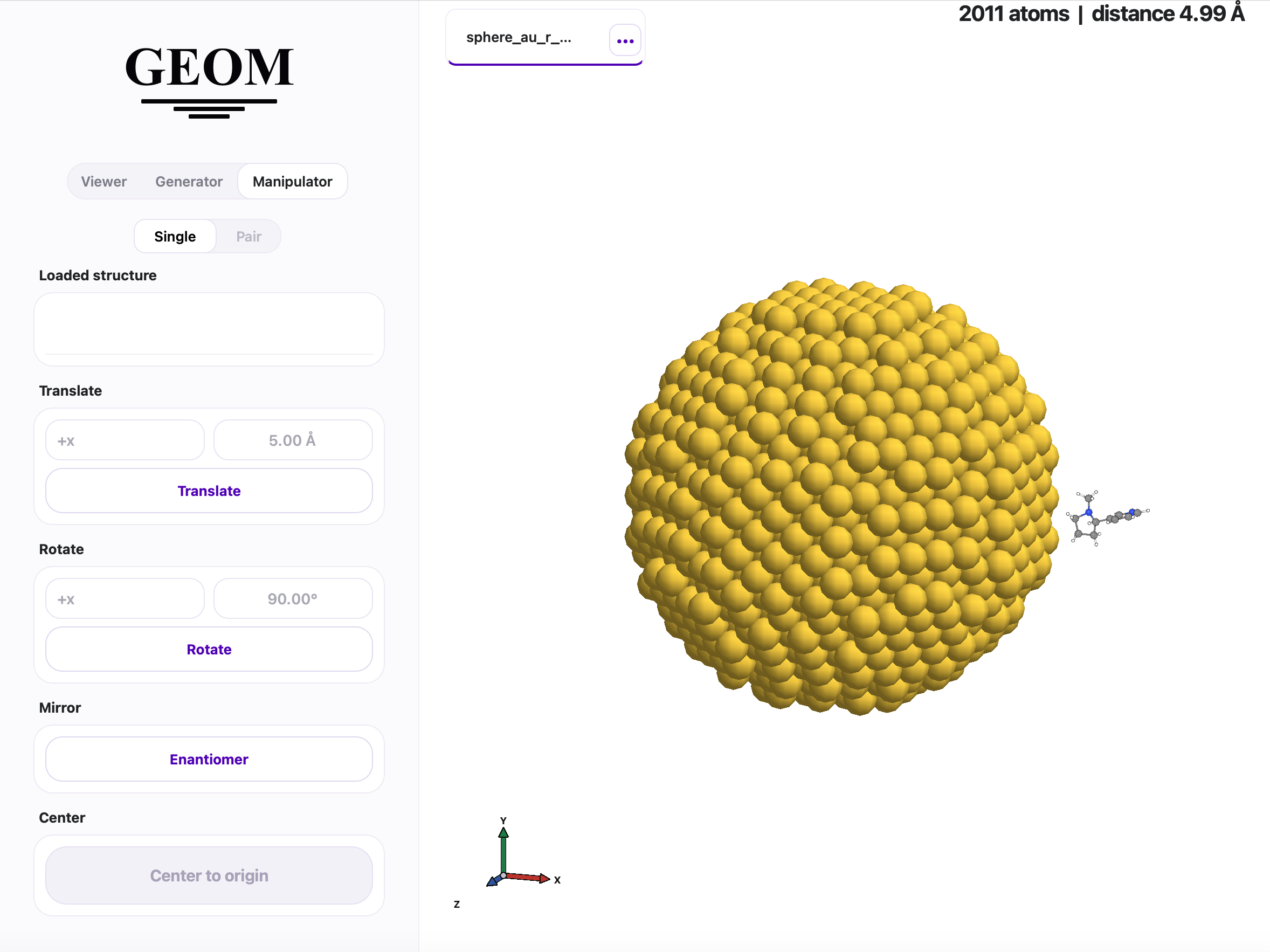
Manipulator
Operate on any loaded structure using the source selector.
Translate — move along any axis by a given distance.
Rotate — rotate around any axis by a given angle.
Mirror — generate the enantiomer (mirror + center).
Center — translate center of mass to the origin.
Pair / Controlled distance — place two structures at a precise surface-to-surface distance along any axis.